
This article describes important considerations when working with Global Value Sets (Global Picklists) in Salesforce and how they are used within Finblick.
Particular attention should be paid to the Unit Type field, which relies on a Global Value Set and is used across multiple objects within Finblick.
The Unit Type field is available on the following objects:
- Product (Product2)
- Quote Line Item
- Order Product (OrderItem)
- Invoice Line
- Credit Note Line
- Self-Billing Invoice Line
Translation Behavior of Global Value Sets #
Salesforce does not deploy or update translations for Global Value Sets when a managed package is installed or updated.
As a result, while the Global Value Set values themselves are installed automatically, their translations are not. This behavior is a Salesforce platform limitation and affects all managed packages that use Global Value Sets.
After installing or updating Finblick, users may notice that translated values are not displayed for the Unit Type field. Instead, the default values of the Global Value Set are shown.
Step-by-Step Guide to Managing Global Value Set Translations #
Global Value Set translations must be maintained directly within Salesforce.
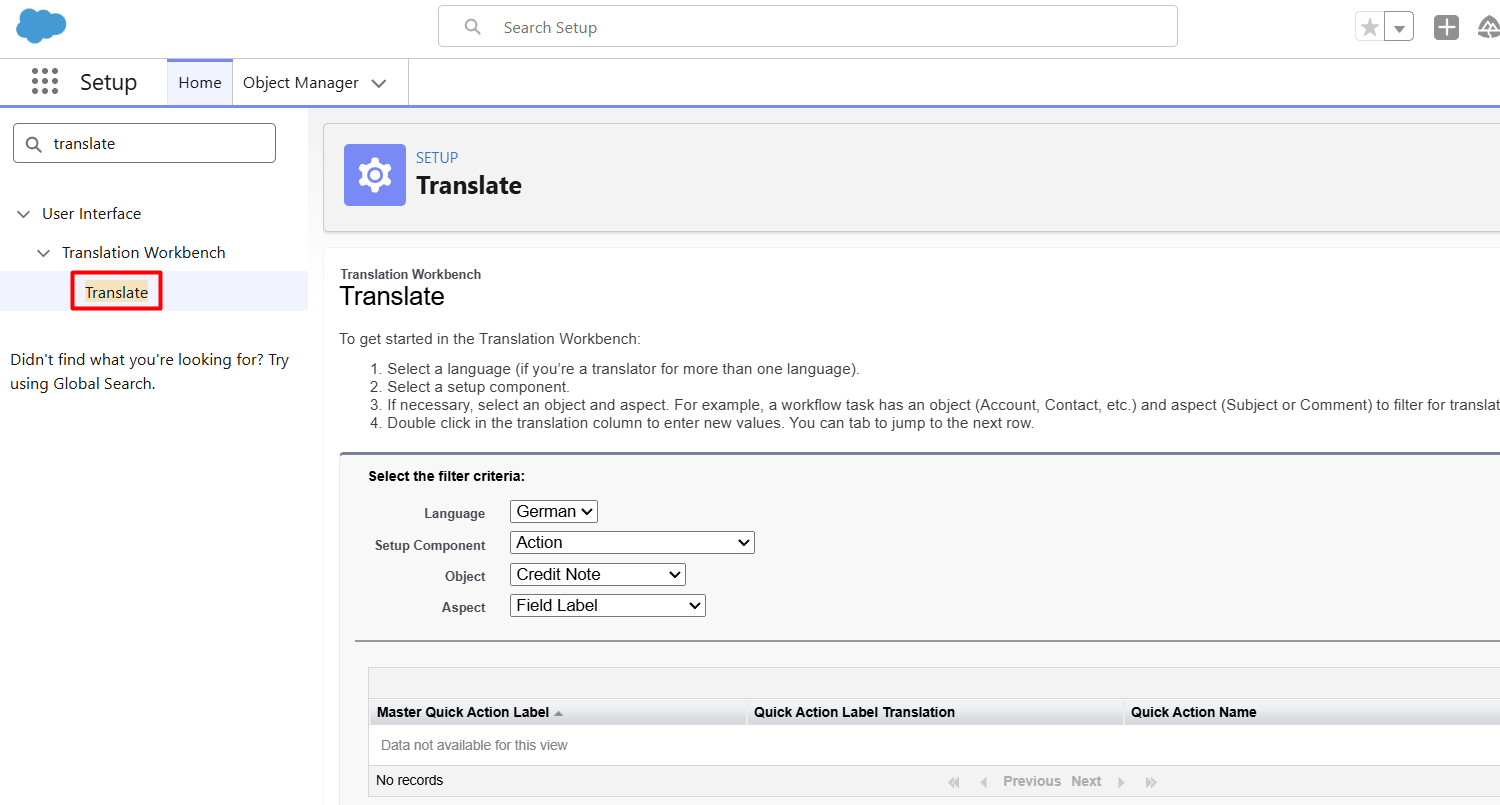
- Navigate to Translation Workbench:
- Open Setup.
- Search for Translation Workbench.
- Open Translate.
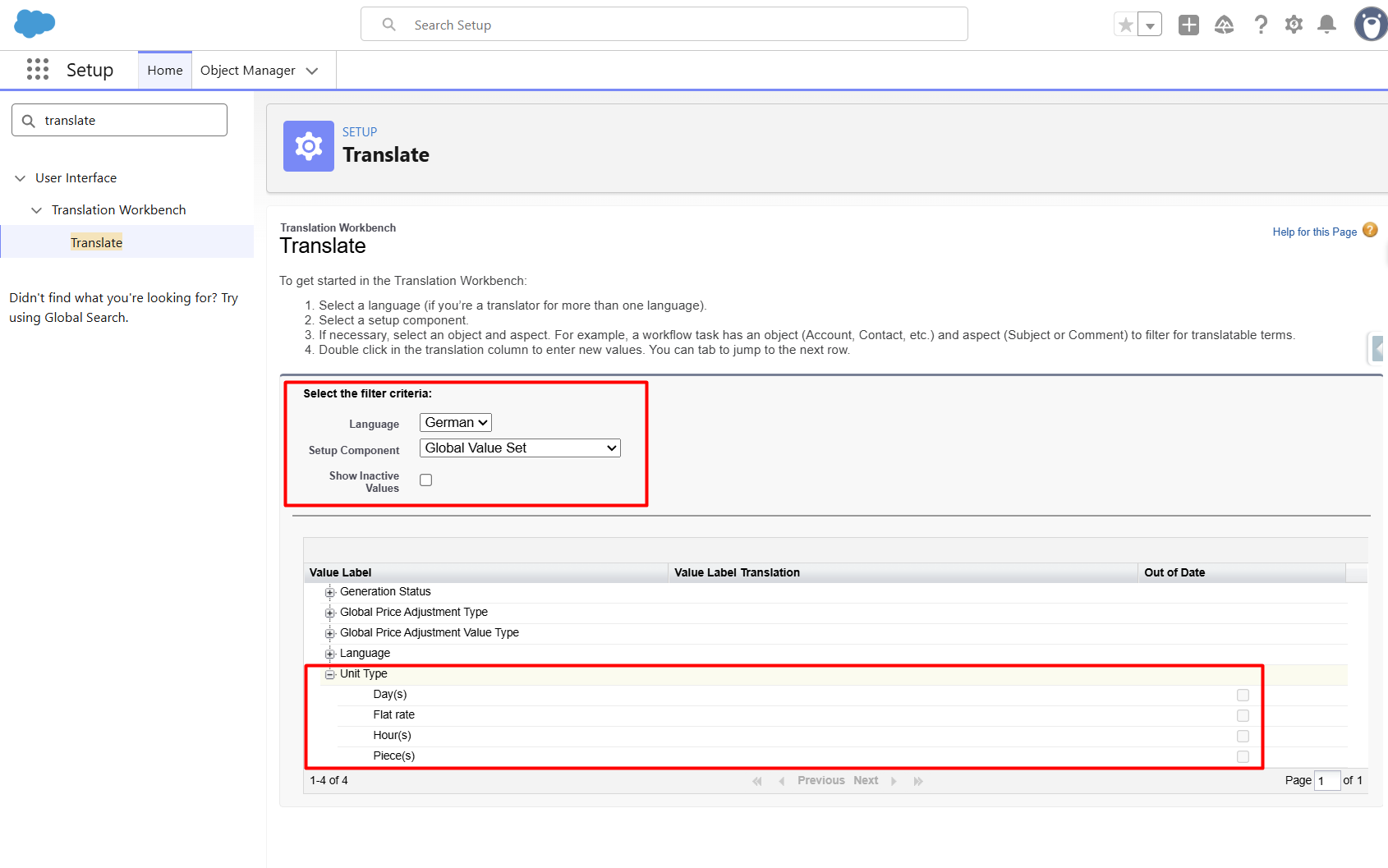
- Select the translation settings:
- Language: Select the desired language.
- Setup Component: Select Global Value Set.
- Maintain the translations:
- Enter the desired translated values for each picklist entry.
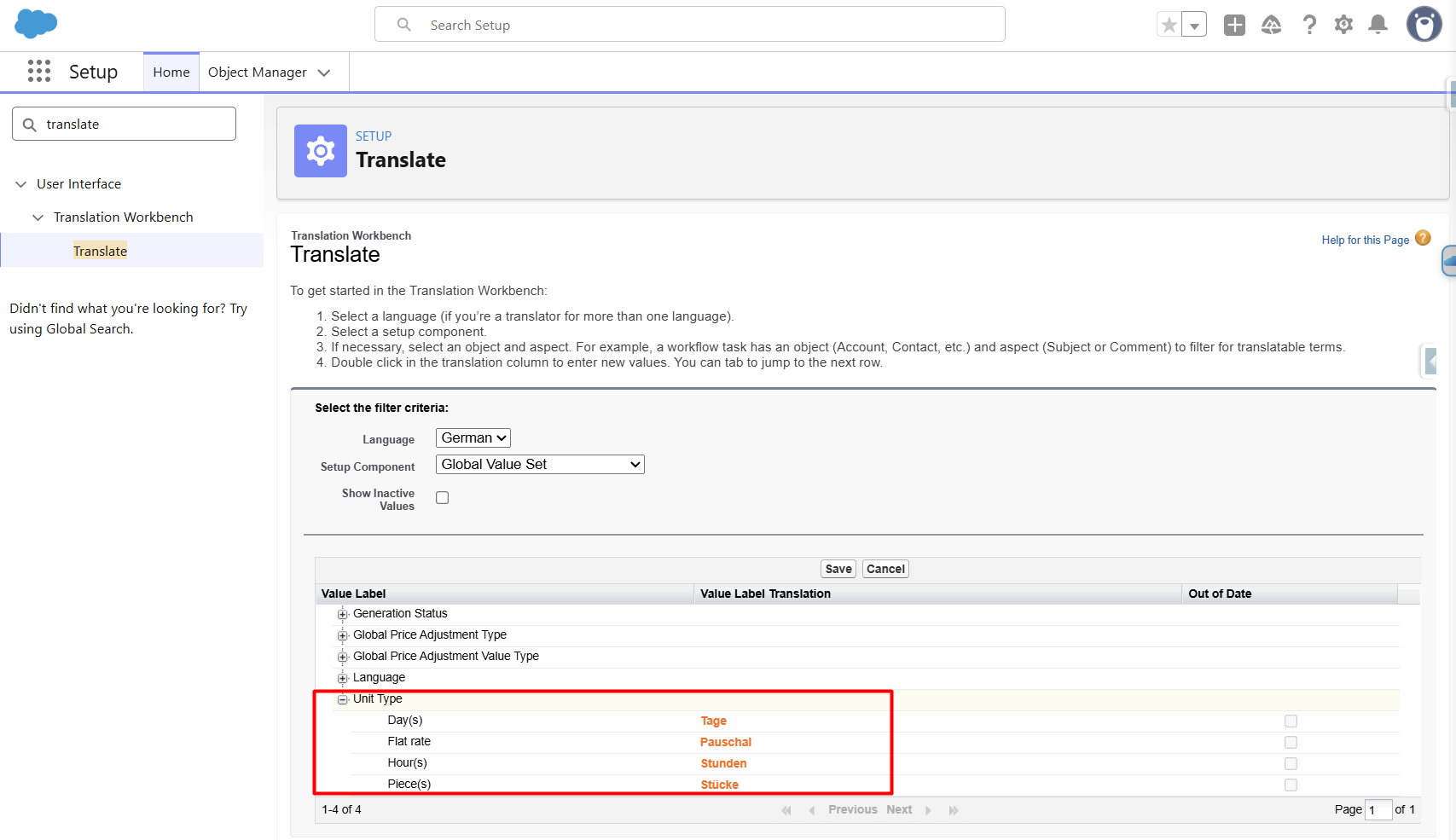
- Save the translations.


