
Global Price Adjustments allow applying a discount or surcharge to the entire financial document. Unlike line-level discounts, Global Price Adjustments affect the overall document total and are automatically reflected in the generated document.
Global Price Adjustments are available on the following objects:
- Quote
- Order
- Invoice
- Credit Note
- Self-Billing Invoice
Two types of Global Price Adjustments are available:
- Discount
- Surcharge
For both types, the adjustment value can be entered using one of the following Value Types:
- Percent
- Amount
This provides flexibility for applying either percentage-based or fixed-value adjustments to the entire document.
Step-by-Step Guide to Using Global Price Adjustments #
- Open a Quote, Order, Invoice, Credit Note, or Self-Billing Invoice record:
- Navigate to the desired document record.
- Open Positions tab and click Add Global Price Adjustment:
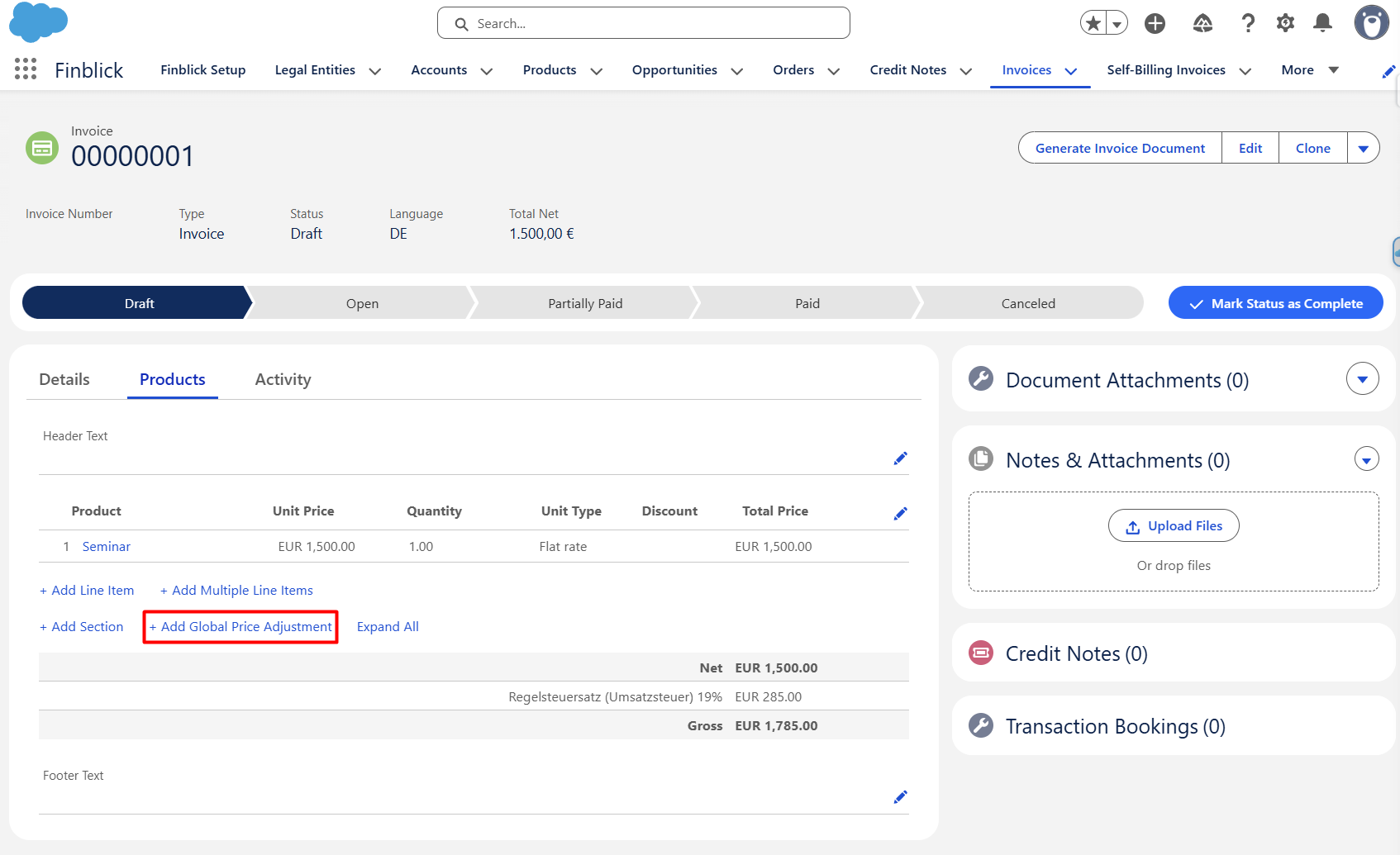
- Populate the Global Price Adjustment fields:
- Select the Global Price Adjustment Type:
- Discount
- Surcharge
- Select the Value Type:
- Percent
- Amount
- Enter the desired value.
- Select the Global Price Adjustment Type:
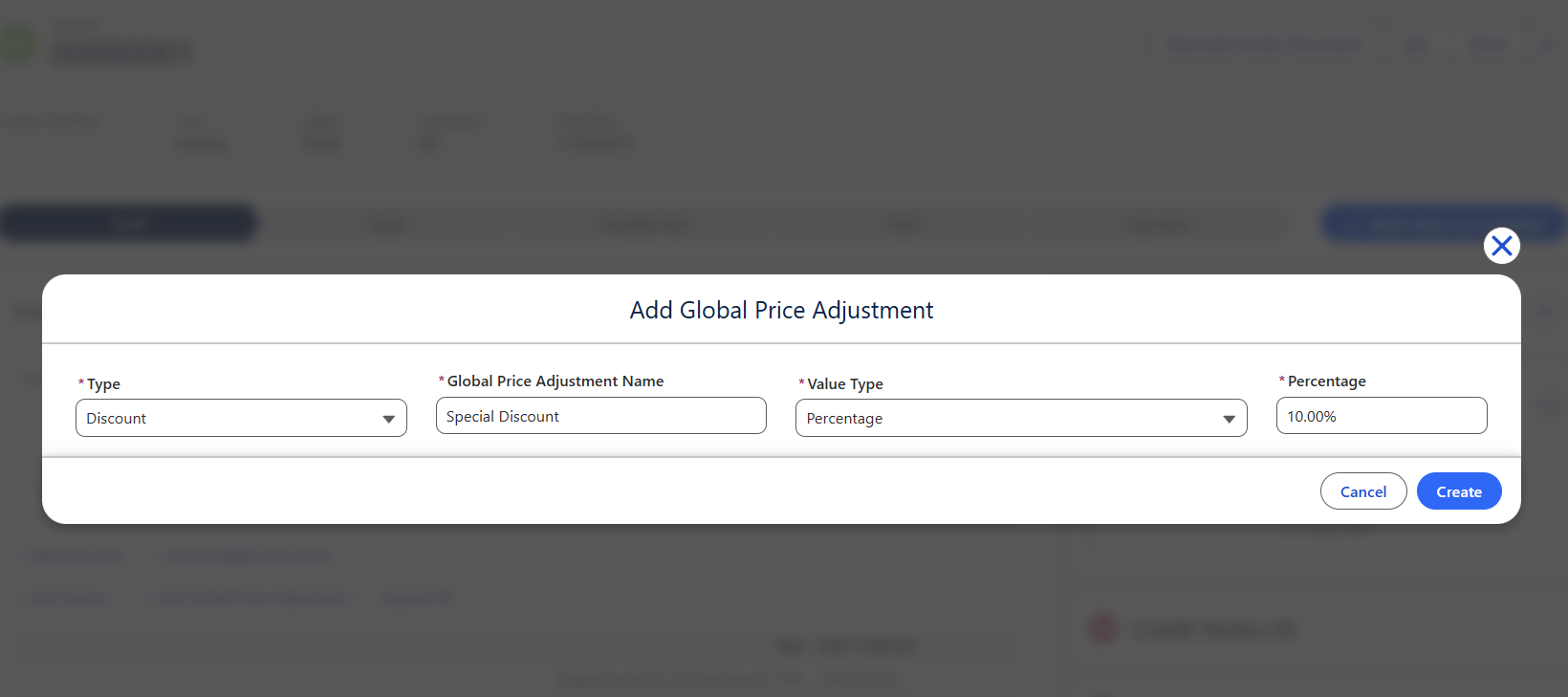
- Save the record:
- Click Create to store the Global Price Adjustment.
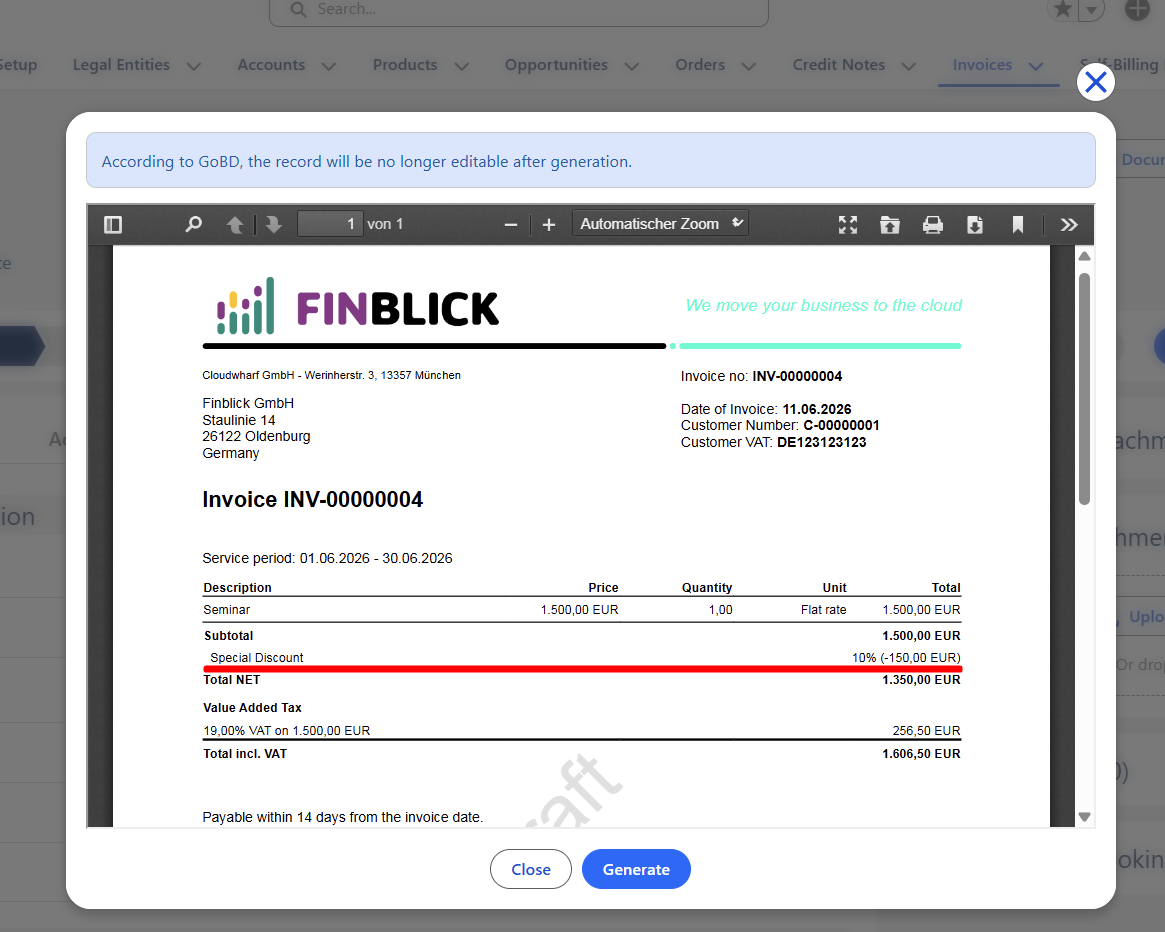
- Generate the document and verify the adjustment on the document preview:
- The document preview should display the Global Price Adjustment and the adjusted totals.
So, Global Price Adjustments provide a simple way to apply document-level discounts and surcharges across Quotes, Orders, Invoices, Credit Notes, and Self-Billing Invoices.
Using the available Discount and Surcharge types together with Percent and Amount value types enables flexible pricing adjustments while ensuring that document totals are calculated correctly and displayed consistently on generated documents.


