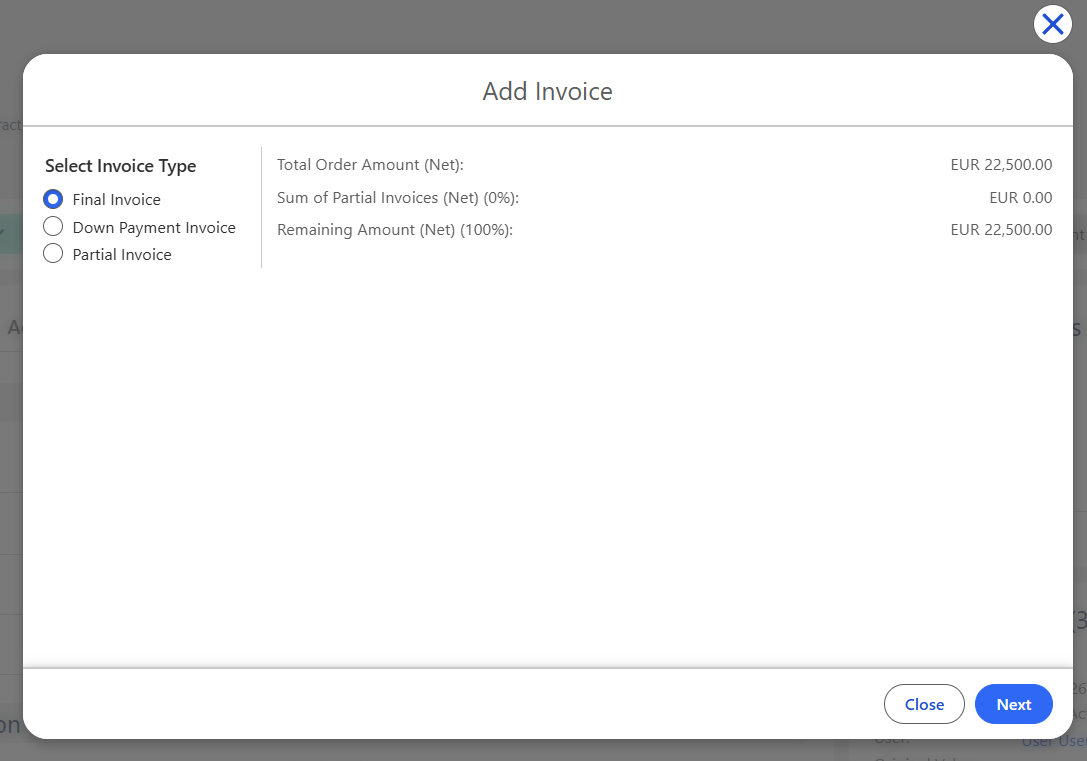
This article describes important considerations when working with the Partial Invoicing feature in Finblick. These topics are especially relevant for companies with different billing cycles, staged delivery models, or advance payment requirements.
Business Rules for Partial Invoicing #
The following rules apply when working with Down Payment, Partial, and Final Invoices:
- A new Down Payment or Partial Invoice can only be created after the previous invoice document is generated.
- Once an Invoice Type is used, other types are restricted based on the invoicing sequence.
- The selection of one type may block the selection of other types for future Invoices.
- Canceling generated Invoice documents returns their related lines to the available pool for selection.
- Partial Invoice is disabled when Fixed Amount Global Price Adjustments exist on the Order Confirmation.
These rules ensure consistent and correct invoice flow according to the Order’s fulfillment process.
Detailed Explanation of Invoice Types and Their Behavior #
Each type has specific logic, validations, and usage rules.
Down Payment Invoice #
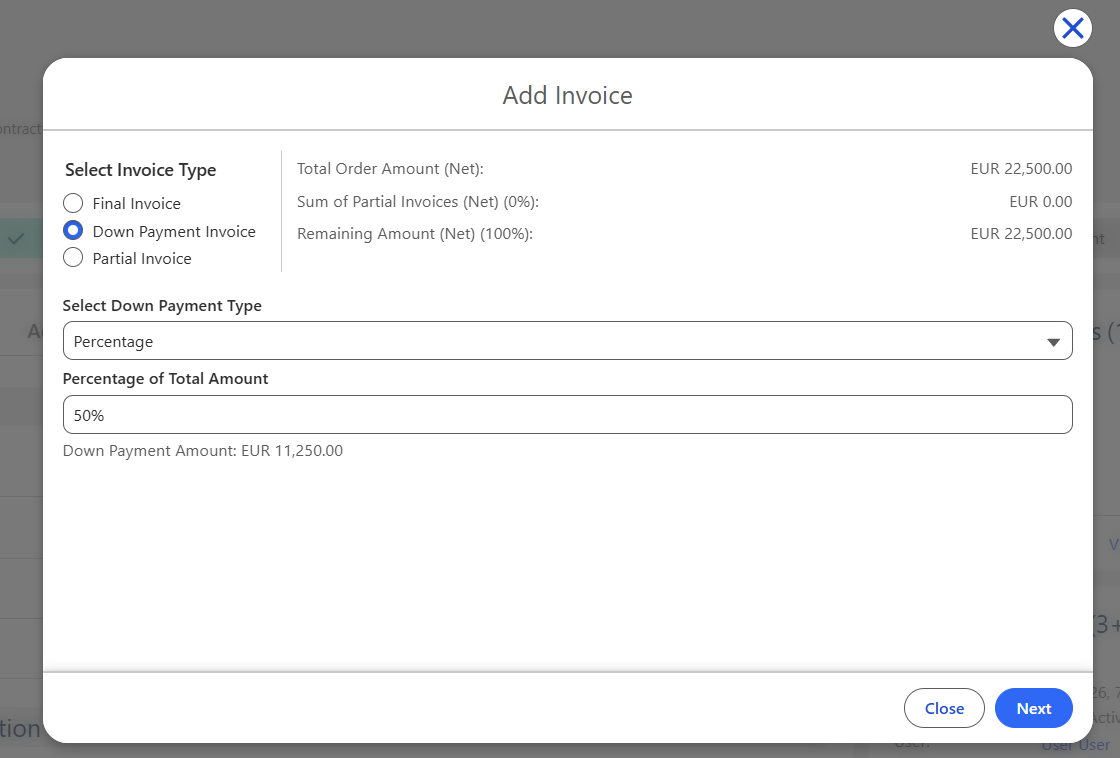
Selecting Down Payment Invoice displays an additional field for Down Payment Type, offering:
- Percentage
- Fixed Amount
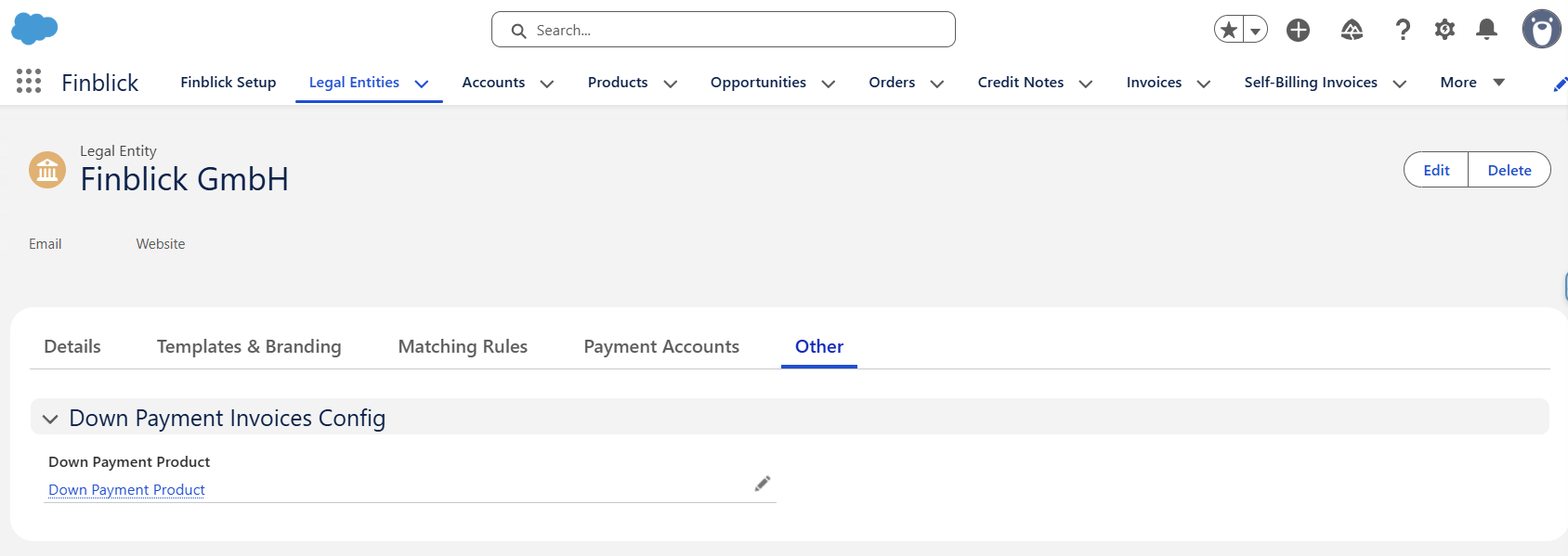
To generate a Down Payment Invoice, the system must contain a designated Down Payment Product, which must be assigned in the Down Payment Product field on the Legal Entity record:
Partial Invoice #
The Partial Invoice type allows selecting specific products and/or quantities from the Order Confirmation to include in the Invoice. Users can choose only the lines that should be invoiced at this stage.
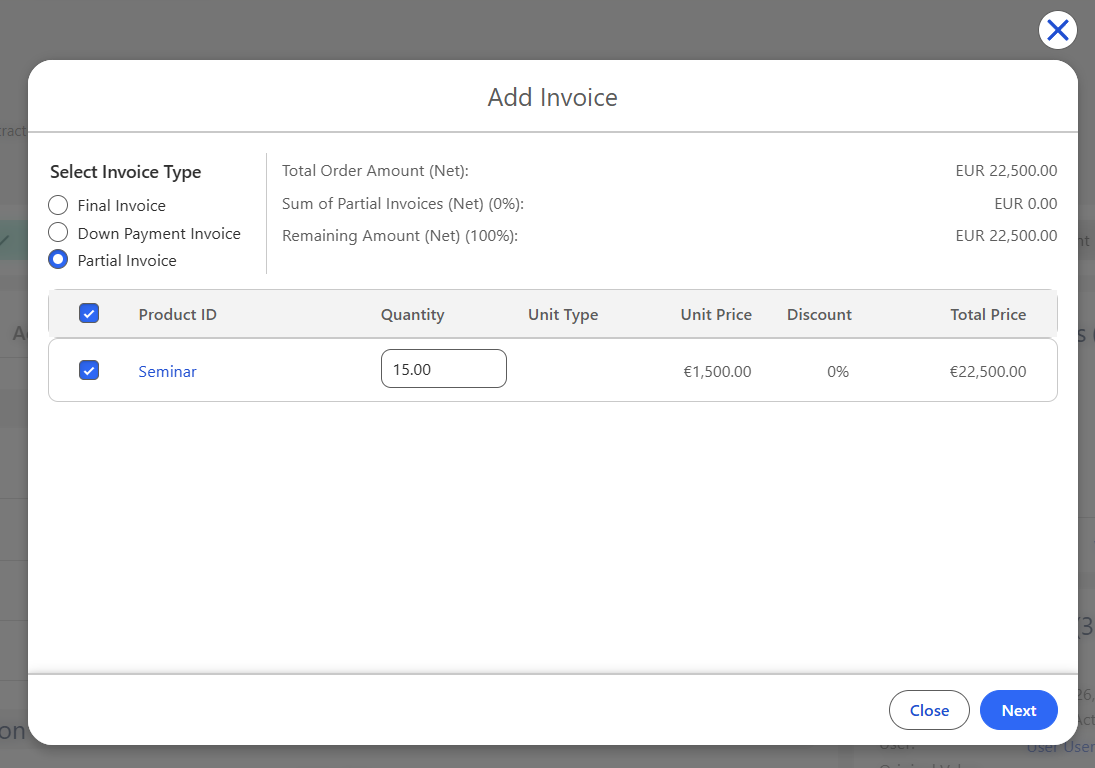
Restriction: Partial Invoice creation is not available if the Order Confirmation contains Global Price Adjustments with the Fixed Amount type.
Final Invoice #
The Final Invoice type automatically includes all or all remaining (if there were Down Payment Invoices or Partial Invoices created for the parent Order) Order Confirmation lines that have not yet been invoiced. This step completes the invoicing cycle for the Order.